
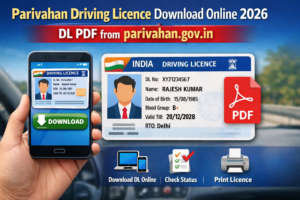
In today’s digital India, accessing government services has become easier than ever. One such essential service is Parivahan Driving Licence Download, which allows citizens to download their driving licence online without visiting the RTO. Moreover, with official digital validity, this service saves both time and effort.
Therefore, if you are looking for a complete and updated guide for Parivahan Driving Licence Download Online 2026, this article will walk you through every step clearly. Additionally, you will learn about eligibility, benefits, common issues, and legal validity in India.
What is a Parivahan Driving License?
A Parivahan Driving License is an officially issued driving licence managed by the Ministry of Road Transport and Highways (MoRTH), Government of India. It is hosted on the Parivahan Sewa portal, which centralizes all transport-related services.
Earlier, drivers had to carry a physical licence everywhere. However, now the government allows citizens to access their licence digitally. As a result, Parivahan Driving Licence Download enables users to obtain a soft copy directly from the official database.
Furthermore, this digital licence contains the same details as the physical one, including licence number, validity, vehicle class, and personal information.
Benefits of Downloading Driving Licence Online
There are several advantages of using Parivahan Driving Licence Download Online, especially in 2026 when digital documents are widely accepted.
Firstly, it eliminates the need to visit RTO offices physically. Secondly, it ensures instant access anytime and anywhere. Moreover, it reduces the risk of losing your physical licence.
Additionally, the downloaded licence is legally valid under the Motor Vehicles Act. Therefore, traffic police can verify it electronically. Furthermore, it supports Digital India initiatives and promotes paperless governance.
Overall, online DL download is faster, safer, and more convenient for citizens.
How to Download Driving Licence from Parivahan Website
If you want to download your licence directly, follow these steps carefully. However, ensure that your mobile number is linked with your DL.
Step-by-step process:
- Firstly, visit the official Parivahan website – parivahan.gov.in.
- Next, click on “Online Services” and select “Driving Licence Related Services”.
- Then, choose the “Download Driving Licence” option.
- After that, enter your DL Number or Application Number.
- Now, submit the OTP sent to your registered mobile number.
- Finally, your licence will appear on the screen, and you can download it as a PDF.
As a result, the Parivahan Driving Licence Download process is completed within minutes.
Driving Licence Download Using Application Number
Sometimes, users may not remember their DL number. However, you can still complete Parivahan Driving Licence Download using your application number.
Firstly, open the Parivahan portal and navigate to the DL services section.
- Then, select the option to download using the Application Number.
- After entering your date of birth, click on submit.
- Subsequently, verify the OTP received on your mobile.
- Finally, download the licence PDF successfully.
Therefore, this method is extremely helpful for newly issued licences.
Download DL by Mobile Number from Parivahan
In addition to DL and application numbers, Parivahan also allows downloading via mobile number in some cases.
- Firstly, ensure your mobile number is linked to your driving licence.
- Then, visit the official website and choose “Download DL by Mobile Number”.
- After entering your registered mobile number, request an OTP.
- Once verified, your driving licence details will be displayed.
- Consequently, you can complete Parivahan Driving Licence Download instantly.
However, if your mobile number is not linked, you may need to update it through the RTO.
Parivahan Driving Licence Download PDF Process
Many users specifically look for the Parivahan Driving Licence Download PDF option. Fortunately, the process is straightforward.
- After completing verification, your driving licence opens in a digital format.
- Then, click on the Download PDF button.
- Moreover, save it securely on your phone or cloud storage.
- Additionally, you can print it if required.
Furthermore, the PDF version includes a QR code, which helps authorities verify authenticity. As a result, the PDF is widely accepted across India.
Is Parivahan Digital Driving Licence Valid in India?
Yes, the digital driving licence downloaded from Parivahan is 100% valid in India. According to the Ministry of Road Transport and Highways, digital licences stored or downloaded from official platforms are legally accepted.
Moreover, traffic police can verify your licence through QR code scanning or backend systems. Therefore, carrying a physical licence is no longer mandatory.
Additionally, Parivahan Driving Licence Download is accepted during vehicle checks, insurance claims, and legal verification. Consequently, it offers peace of mind to drivers nationwide.
Common Problems While Downloading Driving Licence
Although the system is reliable, users may sometimes face issues. However, most problems are easily solvable.
Common issues include:
- Incorrect DL or application number
- Mobile number not linked
- OTP not received
- Server downtime
- Data mismatch in RTO records
To resolve these, ensure correct details and try again after some time. Moreover, updating mobile numbers through RTO can fix most issues. Therefore, patience and accuracy are key.

