
In today’s digital India, government services are becoming faster, simpler, and more accessible. One such important digital service is E-Voter Card Download, which allows Indian citizens to download their voter identity card online without visiting any office. Therefore, this facility has made the election process more transparent and voter-friendly. Moreover, it saves time, reduces paperwork, and ensures that voters always have access to their identity proof.
What Is an E-Voter Card?
An E-Voter Card is the digital version of the traditional physical Voter ID card (EPIC). In fact, it contains all the essential details such as your name, age, address, photograph, EPIC number, and polling information. Moreover, it is issued in a secure PDF format that can be stored on your mobile or computer.
Unlike the physical card, the e-voter card can be downloaded anytime using the official portals. Therefore, even if you lose your physical card, your voting rights remain protected. Additionally, the E-Voter Card Download facility ensures that first-time voters can quickly access their voter ID without delays.
Most importantly, this digital voter card is valid proof of identity for elections and other government-related verification purposes. However, it must be downloaded only from official sources to avoid fraud.
How to Download E-Voter Card Online
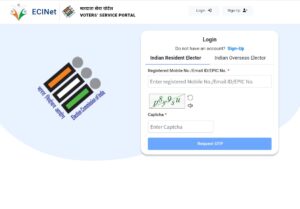
The process of E-Voter Card online is simple and user-friendly. Therefore, anyone with basic internet access can complete it within minutes. Follow these steps carefully:
- First, visit the official Election Commission portal such as NVSP or the Voter Services Portal.
- Then, log in using your registered mobile number or EPIC number.
- After that, verify your identity using the OTP sent to your mobile.
- Next, select the option for E-Voter Card Download.
- Finally, download the PDF file and save it securely.
Moreover, you can open the downloaded file using a PDF reader. However, remember that the PDF is password-protected. Usually, the password is a combination of your date of birth or EPIC number. Therefore, keep your details handy during the process.
How to Download E-Voter Identity Card
Many users search specifically for how to download the e-voter identity card, even though the process is similar. However, understanding the correct method avoids errors and delays. Therefore, follow these additional tips:
- Use the same mobile number that is linked with your voter registration.
- Ensure your voter details are updated before starting the E-Voter Card Download process.
- Additionally, check your name spelling and address details after downloading.
In fact, if your details are incorrect, you should apply for correction first. Meanwhile, downloading an incorrect voter card can cause problems during verification. Therefore, accuracy is extremely important.
E-Voter Card Download in West Bengal
For residents of West Bengal, E-Voter Card is available through the same national portals. However, the state election office also provides voter assistance through regional help desks. Therefore, Bengali-speaking users find it easier to resolve issues.
The steps remain the same:
- Visit the official voter portal.
- Enter your EPIC number or mobile number.
- Verify using OTP.
- Download the e-voter card PDF.
Moreover, West Bengal voters are advised to check their polling booth details after downloading. Additionally, keeping a printed copy can be useful during elections, although the digital version is usually sufficient.
E-Voter Card Download in Delhi
Delhi voters benefit greatly from the E-Voter Card facility due to high digital awareness. In fact, many residents prefer using mobile phones to access government services. Therefore, the Election Commission’s mobile-friendly portals work efficiently in Delhi.
To download:
- Log in through the official voter portal.
- Authenticate with OTP.
- Select download option.
- Save the PDF on your device.
However, Delhi voters should ensure their address details match their current residence. Otherwise, polling station issues may arise. Therefore, always verify the information carefully.
E-Voter Card Download in Uttar Pradesh
Uttar Pradesh, being one of the largest states, has millions of voters. Therefore, E-Voter Card has significantly reduced crowding at election offices. Moreover, rural and urban voters alike can access their voter ID digitally.
UP voters can follow the same standard process online. However, due to network issues in some rural areas, it is advisable to use a stable internet connection. Additionally, cyber cafes can also assist with downloading the e-voter card.
In fact, many first-time voters in Uttar Pradesh use this facility to confirm their enrollment. Therefore, it plays a crucial role in increasing voter participation.
Benefits of E-Voter Card Download
There are several advantages of using the E-Voter Card option. Firstly, it provides instant access to your voter ID. Secondly, it eliminates the risk of losing your physical card. Moreover, it supports eco-friendly digital governance.
Additionally, the e-voter card can be used as identity proof during elections and certain verification processes. However, for non-election purposes, acceptance may vary. Therefore, always check the requirement beforehand.
Most importantly, this digital service empowers voters and strengthens democracy. Therefore, every eligible voter should take advantage of it.

